 Billboard
Raise an emergency alert
Push one urgent message to every screen on your account within seconds, then clear it just as fast when it's over.
Last updated 28 November 2026
An emergency alert takes over every screen on your account with one urgent message, and it lands within seconds rather than waiting for a screen's normal refresh. It's for the moments that can't wait: an evacuation, a lockdown, a safety notice.
It has its own section, deliberately kept apart from everything routine, so it's never a click you make by accident.
Raise an alert
- Select Create in the sidebar, then Send an alert. That opens Settings → Alerts & notices. Select the Alert row. (The Alerts card on the Apps page opens the same thing.)
- Choose how serious it is: Urgent, Warning or Notice.
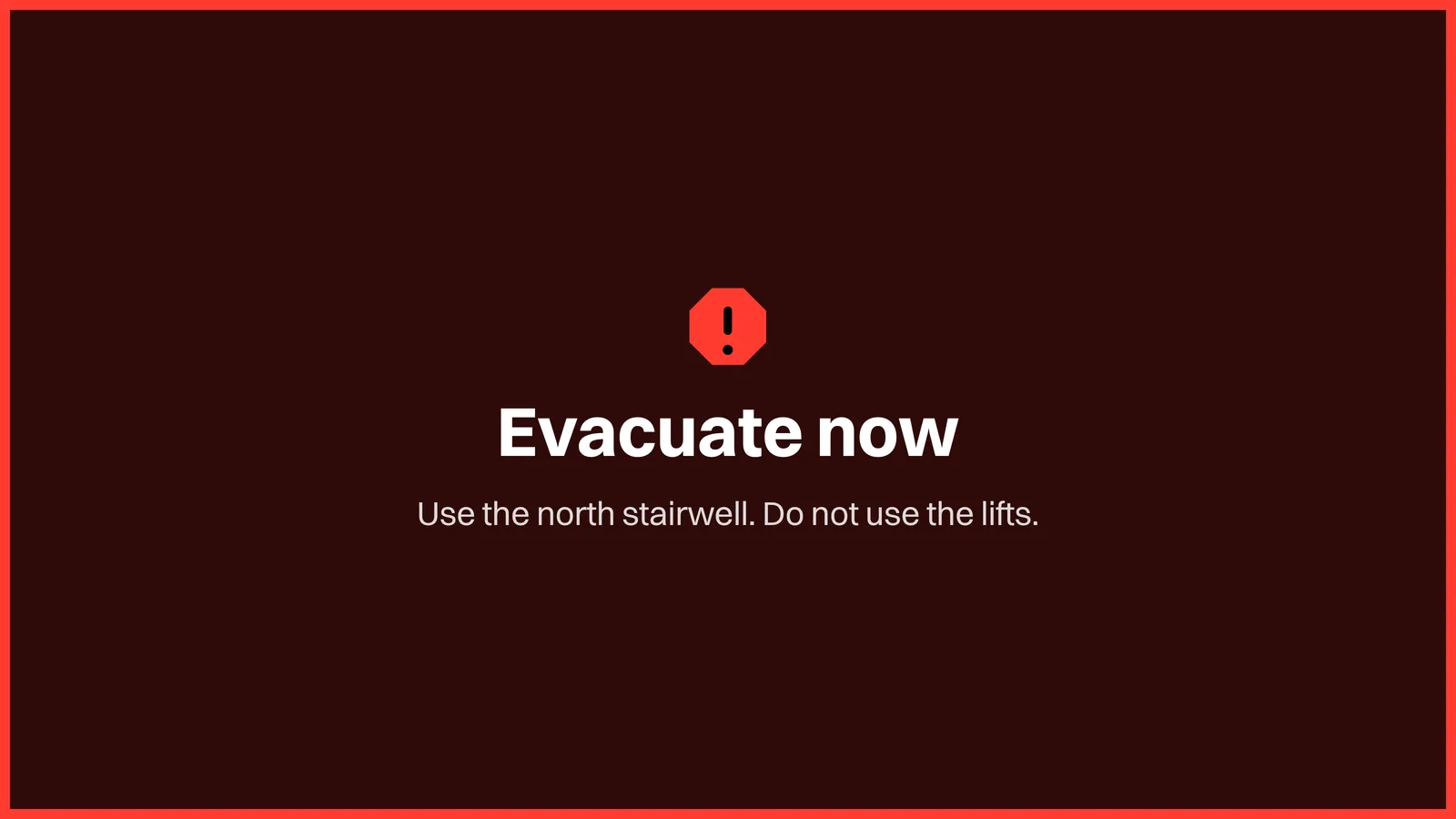
- Type a headline and, if you like, a line of detail, for example "Evacuate now. Use the north stairwell."
- Choose Raise on every screen, check the wording, then Raise alert.
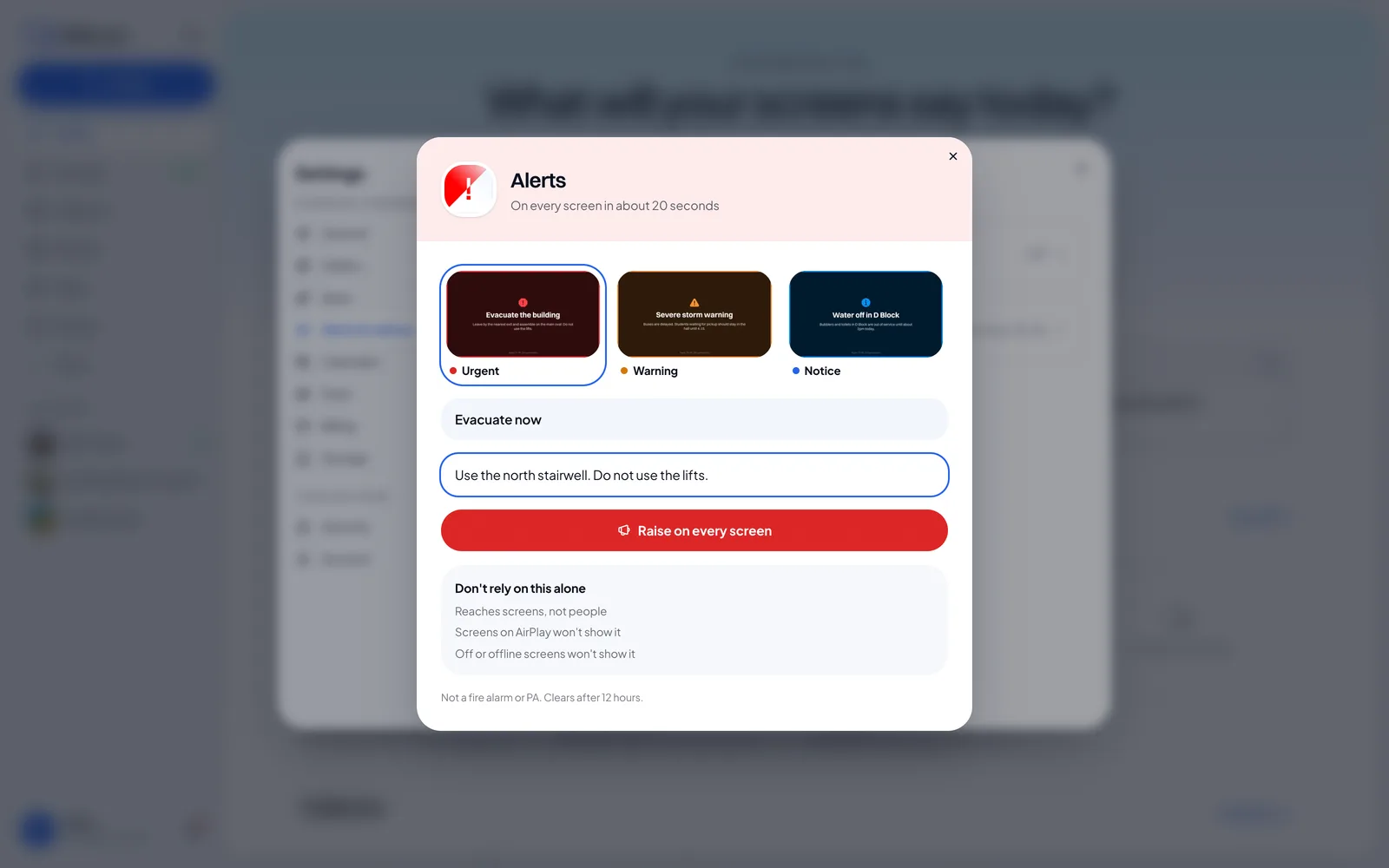
Within about twenty seconds, every screen on the account shows the alert full-screen, over whatever it was playing.
Clear it
- Open the alert again the same way.
- Choose Clear the alert.
The alert lifts and each screen goes straight back to its normal slideshow, no restart needed.
If you forget, it clears itself after 12 hours. That's a backstop, not a plan: clear it yourself as soon as the situation is over.
Good to know
- Account-wide. An alert reaches every screen you run, in every room, at once. It isn't per gallery.
- Near-instant. Unlike other changes, which arrive on a screen's refresh schedule, an alert is pushed straight away. That's why it's kept separate: it's the one thing that can't wait.
- A notice is the gentler cousin. For an open evening or a room change, use a notice, which sits across the top of the screen without taking it over. Save the emergency alert for genuine emergencies.